Setting Up Plugin Details
After installing the plugin, you need to activate your license. This is done on the License tab in the plugin admin.
Activate Your License
-
In WordPress admin, click CareHQ WordPress Form Connector in the sidebar. You'll land on the License tab.
-
Enter your API Key and click Connect.
-
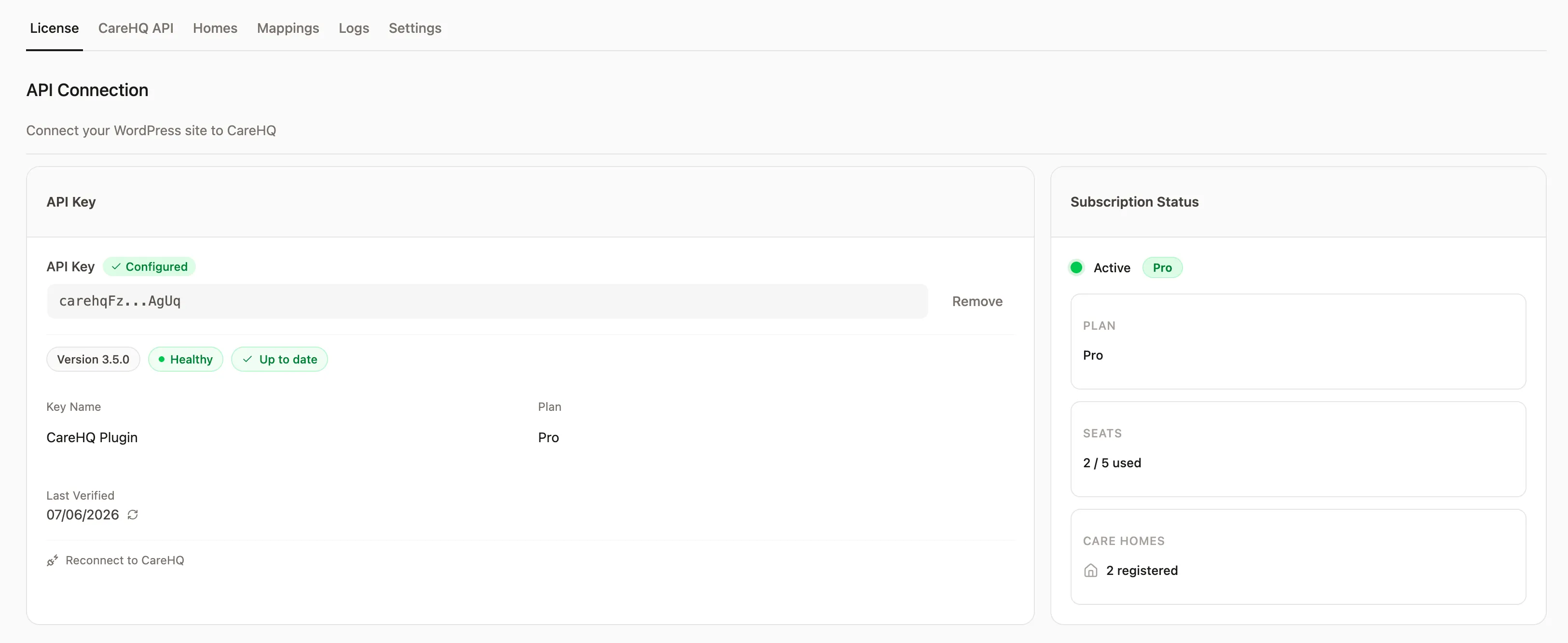
Once validated, the page displays your subscription details:
- Plan — your current subscription plan
- Seats — how many care homes you can link (used / total)
- Homes — number of homes currently connected
Tip: Each care home you add uses one seat. If you need more seats, upgrade your plan.
Next Steps
With your license activated, proceed to connect your CareHQ account.